How TraderOps works with your broker
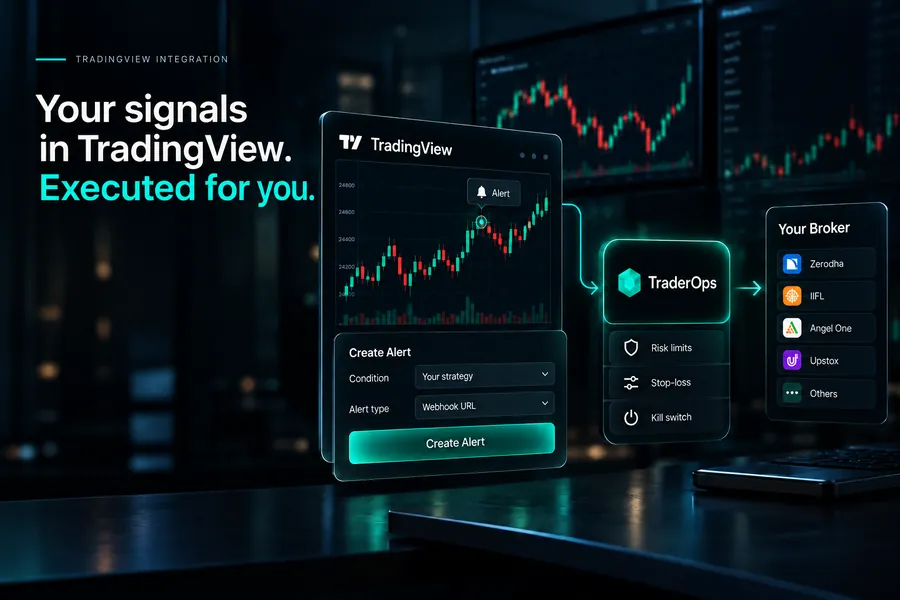
You connect the broker account you already have. Every order is placed through that account. Your funds and shares never leave it.
01
You
Write the strategy once — the recipe, entry, stop and exit.
02
TraderOps
Runs it on a server: on time, within your risk limits, checked against your broker.
03
Your broker
The order is placed through your own account — your money stays with you.
04
NSE / BSE / MCX
Matched and filled at the exchange; the stop rests there too.
Funds stay at your broker. We place orders. We never hold money.
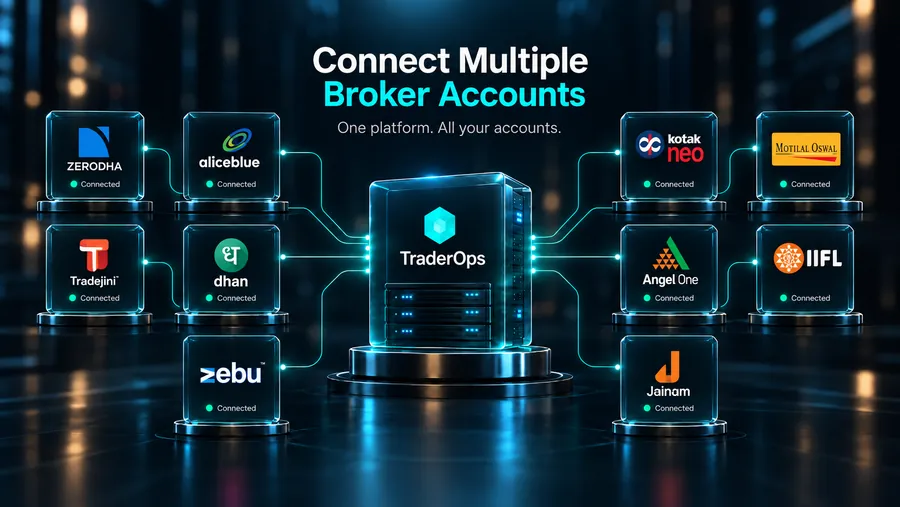
10 supported brokers across NSE, BSE and MCX
Keep the broker account you already have. You can revoke our access from your broker at any time.
 ZerodhaNSE · BSE · MCX
 Angel OneNSE · BSE · MCX
 DhanNSE · BSE · MCX
 IIFLNSE · BSE
 KotakNSE · BSE · MCX
 Motilal OswalNSE · BSE
 AliceBlueNSE · BSE · MCX
 TradejiniNSE · BSE
 ZebuNSE · BSE
 JainamNSE · BSE
What the platform does
Every feature below is something the engine does today. There is nothing here about picking trades for you.
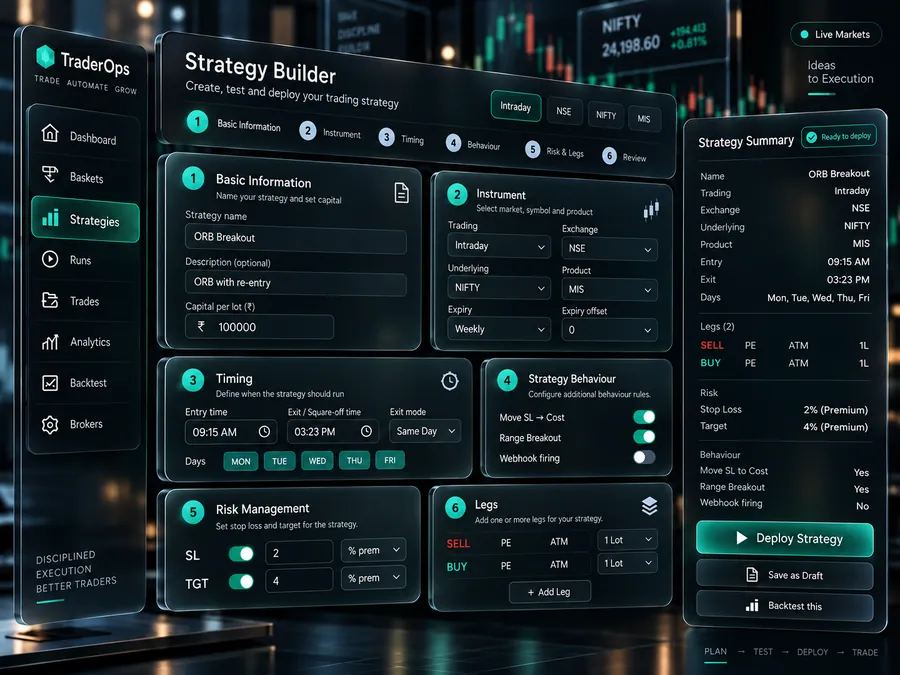
The desk you run it from
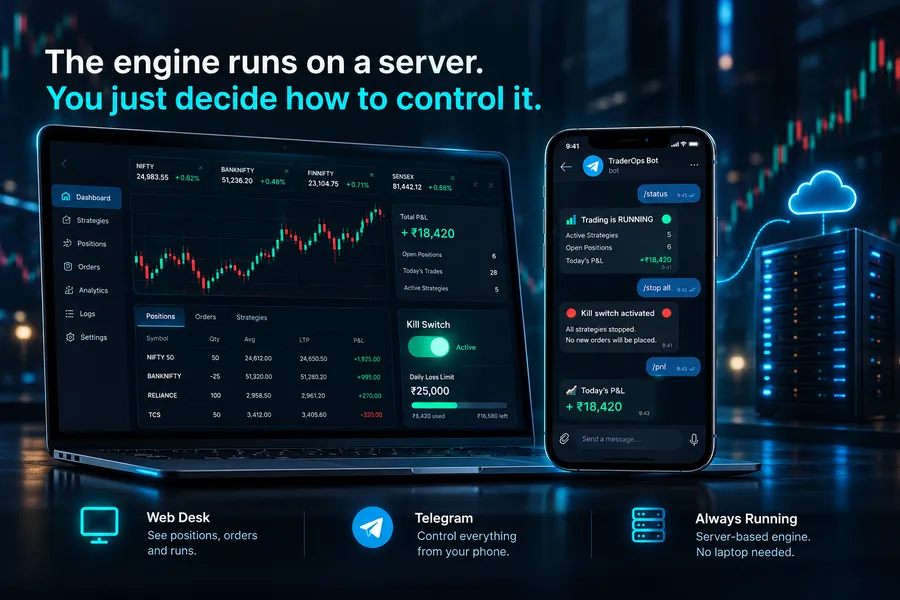
Positions, orders and runs in one place — live P&L, and the same view whether you are in live, paper or backtest mode.
What happens when something goes wrong
Most trading tools work fine on a normal day. This is what protects you on the days they don’t.
The one that matters most
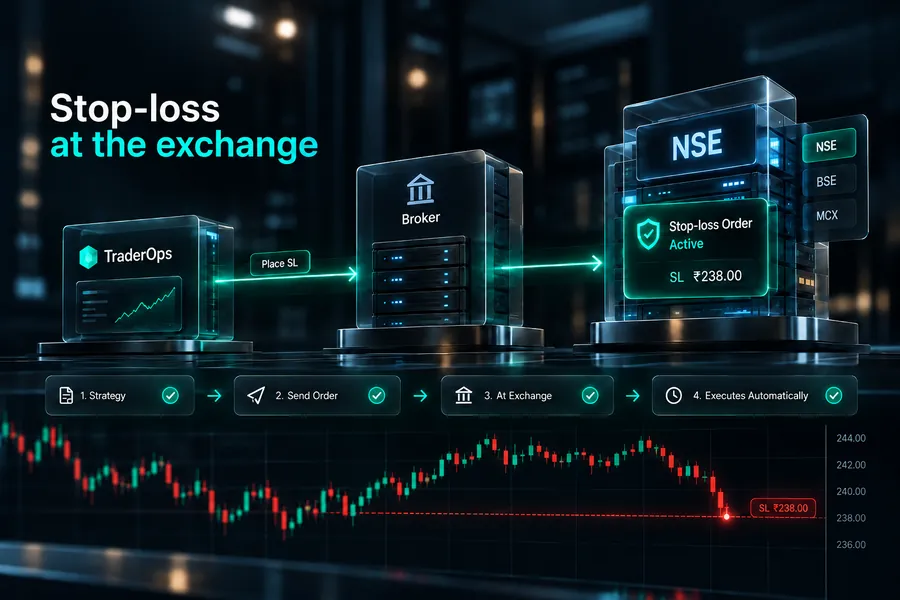
Your stop-loss is safe even if we go down
Your exit order sits at the stock exchange itself — not on our computers. So even if our system crashes, your internet drops, or your laptop dies, your position is still protected.
We double-check with your broker all day
Every 30 seconds we match our records against your broker’s, so nothing slips through.
Stop everything with one tap
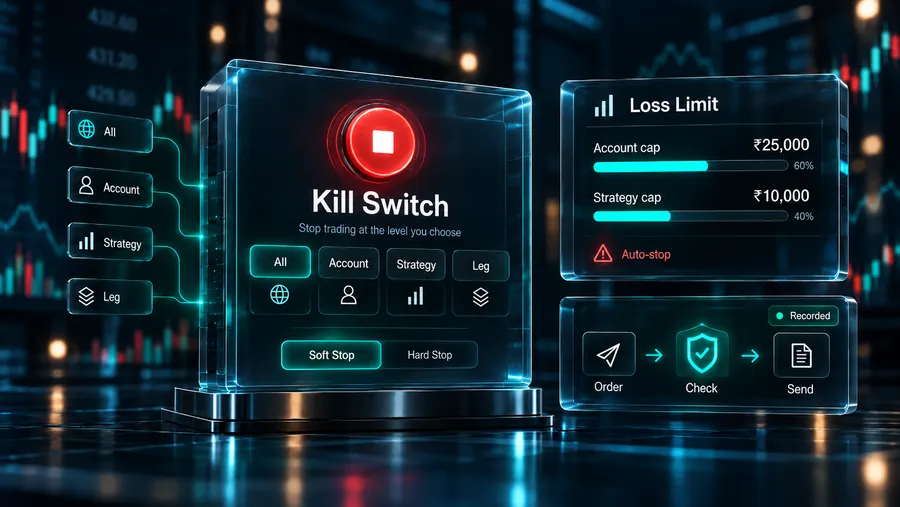
One button closes all your positions. Set a daily loss limit and it stops for you.
A clear record of everything
See exactly what happened, and why, in plain English — a record that is never edited.
See it yourself — switch us off
Below is a live example: a position with a safety stop running. Turn our engine off and watch — the position still gets closed, because the stop was already waiting at the exchange.
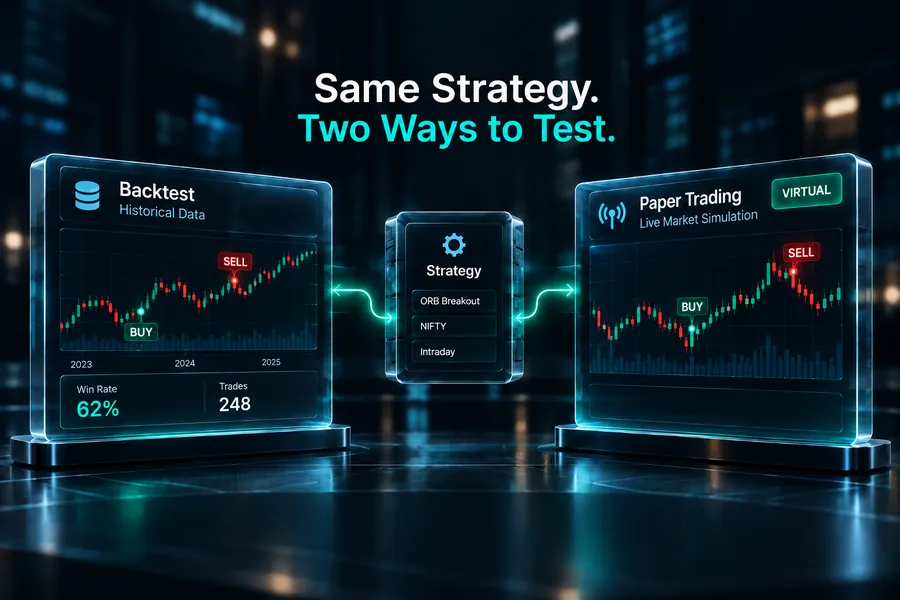
Live, paper and backtest run on the same code
There is one engine, not three. Live, paper and backtest use the same rules, the same checks and the same way of confirming with your broker. The only difference is where the order goes. That is why paper results tell you something about live results.
the same rules in all three modes
Four things to learn: basket, strategy, run, trade
Everything in TraderOps is one of these four things. There is nothing else to learn.
Run one strategy across multiple accounts
One strategy can run on several accounts at several brokers at once, with a separate allocation for each account. Move the slider to see how it scales.
Who TraderOps is for
You already have a broker account and a strategy you want automated.
You want the same rules followed every day without watching the screen.
You want a record of why every position was closed.
You run more than one account and want one strategy across all of them.
Who it is not for
You want to be told what to buy or sell.
You are looking for a strategy marketplace or copy trading.
You expect guaranteed or advertised profits.
You want us to hold your funds.
What operators say
How traders and dealer desks describe running TraderOps day to day.
The stop sitting at the exchange is the whole reason I switched — it held the day my internet dropped mid-session.
One strategy across four client accounts, each with its own allocation and risk cap. Reconciliation catches mismatches I used to find only at EOD.
Paper mode runs the exact same engine, so what I test is what I get. And the event log answers ‘why did it exit?’ every time.
Example testimonials — placeholders to be replaced with real, consented quotes before launch.
Simple, flat pricing
A fixed monthly fee, not a cut of your trades — so we have no reason to want you to trade more. Paper trading is free, with no time limit.
Paper
Validate before capital
₹0/forever
- Unlimited paper runs
- Full backtest engine
- 1 broker connection
- Complete event log
Operator
Solo semi-pro
14 days free, then
₹699/month
- Live trading, 1 account
- Stop-loss at the exchange + trailing
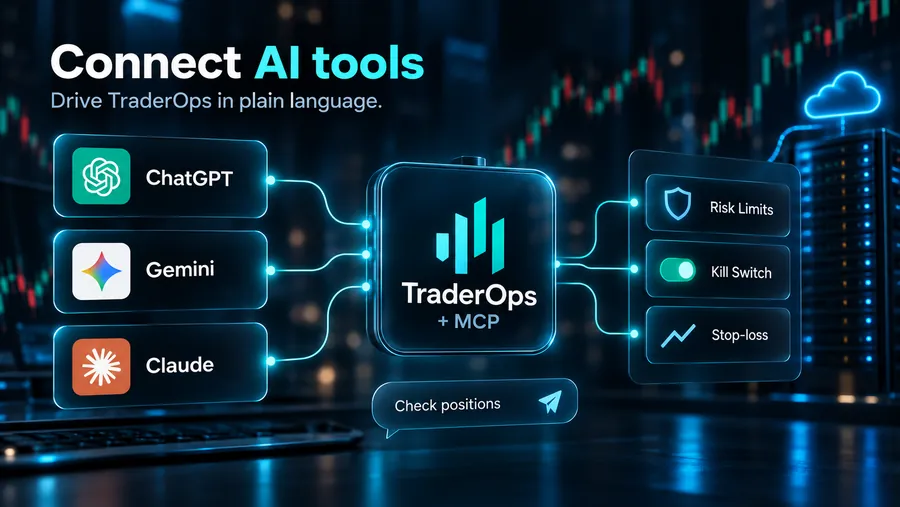
- Control from Telegram
- One-tap kill switch and loss limits
Desk
Dealer / advisor
₹2,499/month
- Up to 8 accounts, any brokers
- Per-account allocation
- Multi-broker fan-out
- Priority incident line
Prices are per month. Paper trading is always free.
Frequently asked questions
Do you hold my money?+
No. Your money and shares stay in your broker account. TraderOps only has an API connection that places orders, and you can cancel that access at your broker at any time.
What if your system goes down while I’m in a trade?+
Your stop-loss order is already sitting at the exchange, so your loss is limited even with TraderOps offline. When our system comes back, it checks with your broker, sees what happened, and closes the position correctly.
Does my laptop need to stay open?+
No. The engine runs on a server. The web app and Telegram are only ways to control it.
Will paper mode match live?+
All three modes run the same code and check your rules the same way. The prices you actually get will still differ, because the real market moves, but the rules that decide each order do not change.
Do you give strategies or signals?+
No. TraderOps has no view on what you should trade. You provide the strategy and we run it.
Can I run one strategy across several accounts?+
Yes. One strategy can run on several accounts at several brokers, with a separate allocation and separate risk limits for each account.
Start with free paper trading
Run your strategy in paper mode for a week with no money at risk. It uses the same engine and the same rules as live trading, so you can check that it behaves the way this page says it does.